30 Days: Outbreak System Requirements (Soft Launch)
Storage, online play, region availability, and cautious emulator notes.
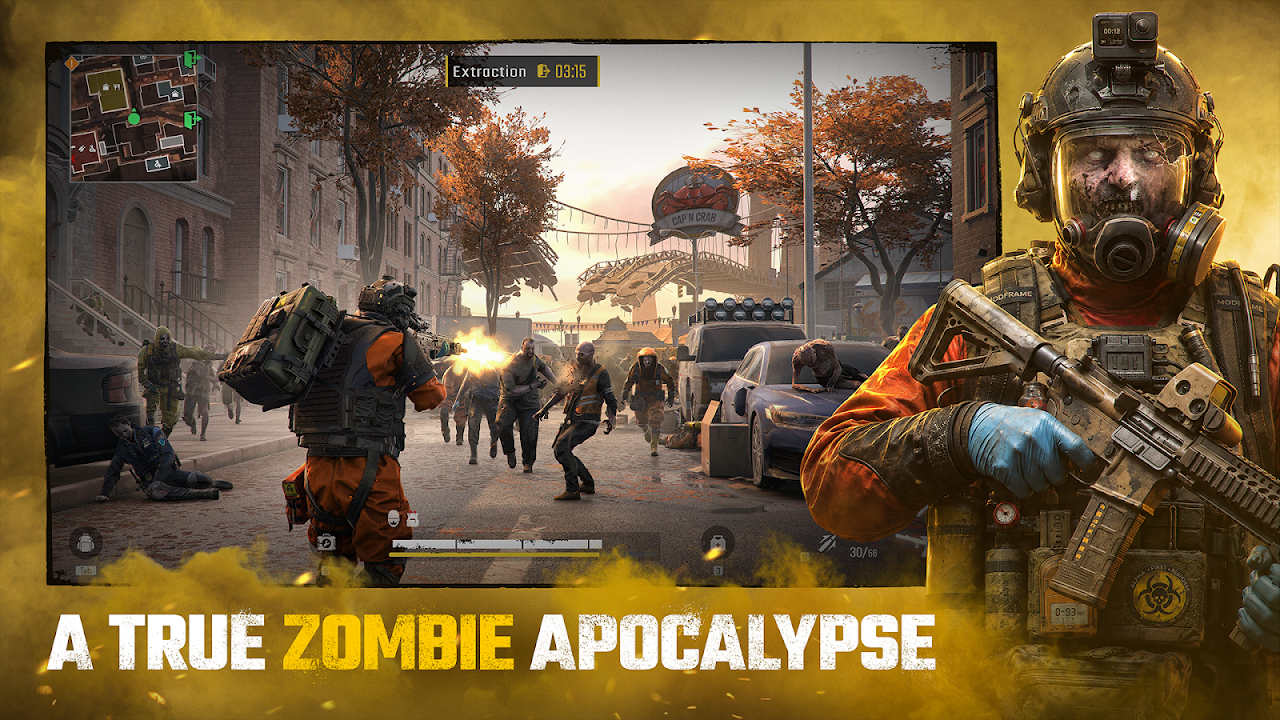
30 Days: Outbreak Soft Launch Alpha is a mobile-first free-to-play extraction shooter. Before you theorycraft loadouts, confirm your device can install the build, stay online for raids, and actually see the store listing in Soft Launch countries. This page summarizes practical requirements for the Soft Launch window — not a forever PC port spec sheet Plarium has not published.
For store install steps see How to Download. Official Soft Launch context: Soft Launch Alpha. Download and store links: Links Hub. After install, use the loadout checklist before risking gear.
Storage and install size
Public Soft Launch reporting places the client around 3.11 GB. Plan for more free space than the raw install:
- Leave headroom for patches during Soft Launch Alpha (tests iterate quickly).
- Keep space for OS updates and store downloads that stage temporary files.
- If your device is nearly full, uninstall unused apps before updating mid-test — partial updates cause Soft Launch frustration that looks like “servers down.”
Exact size can drift with patches. Recheck the Play Store or App Store listing in your Soft Launch region after major updates. See the Updates Hub when store text changes.
Online connection required
Raids are online PvPvE sessions: infected AI plus other scavengers, matchmaking, and extract validation. Soft Launch is specifically about live server behavior. Treat a stable connection as a hard requirement:
- Prefer Wi‑Fi for the initial ~3 GB download.
- Avoid starting contested kits on flaky mobile data if disconnects drop you mid-loot.
- Soft Launch server blips happen — do not immediately burn rare gear after a single timeout; verify status via official channels.
Offline single-player campaign claims are not the Soft Launch pitch. The marketed loop is online extraction.
Platforms and Soft Launch regions
| Item | Soft Launch Alpha |
|---|---|
| Platforms | Android, iOS |
| Regions | Poland, Ukraine |
| Global | TBA |
| Price | Free-to-play |
| Approx. size | ~3.11 GB |
Google Play package id commonly referenced: com.plarium.outbreak30days — Play Store listing. iOS availability follows App Store regional Soft Launch rules in the same countries.
If the game does not appear, your account region likely sits outside Soft Launch. This wiki does not provide region-spoofing steps. Unofficial APKs and account tricks can violate store or Plarium terms and risk bans or malware. Stick to official stores linked from the wiki links page.
Suggested device comfort (practical, not official min-spec)
Plarium’s public Soft Launch materials emphasize a third-person shooter with urban districts, effects, and multiplayer. Without a frozen official min-spec table, use common Soft Launch comfort guidance:
- Recent mid-range or better phones with enough RAM for online TPS sessions.
- Cool, charged device — thermal throttling hurts aim and extract timing.
- Updated OS and store app before installing Soft Launch builds.
- Headphones for audio cues; Soft Launch scavenger peeks often announce themselves before you see them.
If the client stutters in crowded interiors, lower graphics settings before blaming balance. Soft Launch feedback is more useful when your FPS is stable.
Optional PC emulator notes (not a hard sell)
Some Soft Launch players prefer keyboard/mouse comfort via Android emulators on PC (MuMu Player and similar tools appear in community writeups). Notes only:
- Emulators are optional, not required, and not an official Soft Launch platform promise.
- Performance depends on your PC, emulator settings, and Soft Launch anti-cheat or ToS posture — Plarium Terms of Use still apply.
- Emulators do not bypass regional Soft Launch availability by themselves; store region rules still matter.
- This wiki does not endorse a brand, affiliate link, or “must download” pitch. If you experiment, keep Soft Launch learning kits cheap until stability is proven.
Mobile remains the Soft Launch design target. If you report bugs from an emulator, say so in feedback so Plarium can interpret the report.
Pre-install Soft Launch checklist
- Confirm Poland/Ukraine Soft Launch access on the official store.
- Free well over 3.11 GB plus patch headroom.
- Stable network for download and first raids.
- Read Soft Launch Alpha for wipe expectations.
- After install, run Getting Started habits, then the loadout checklist.
- Follow @30DaysOutbreak for test notices.
After you can launch
System fit is only the door. Soft Launch success is extract discipline: Survival learning kits, known districts before contested gear, and role-aware weapons from the tier list. When Plarium publishes clearer min-spec or expands regions, this page will update alongside the Updates Hub.
Related pages
Do not chase unofficial installers. Soft Launch is short; a banned or broken account is a permanent Soft Launch lesson you do not need.
Frequently Asked Questions
Quick answers for soft-launch survivors.
How much storage do I need?
Plan for about 3.11 GB for the client plus free space for Soft Launch patches and store temp files. Recheck the store listing after updates.
Can I play offline?
Soft Launch raids are online extraction sessions. Treat a stable connection as required.
Why can’t I find the game in my store?
Soft Launch Alpha is limited to Poland and Ukraine. Outside those regions the listing may be hidden. Use official stores only.
Are PC emulators supported?
Official Soft Launch targets Android and iOS. Emulators are optional community conveniences and may conflict with terms — use at your own risk, never as a region bypass guide.