How to Download 30 Days: Outbreak
Soft-launch regions, official stores, app size, and wipe expectations.
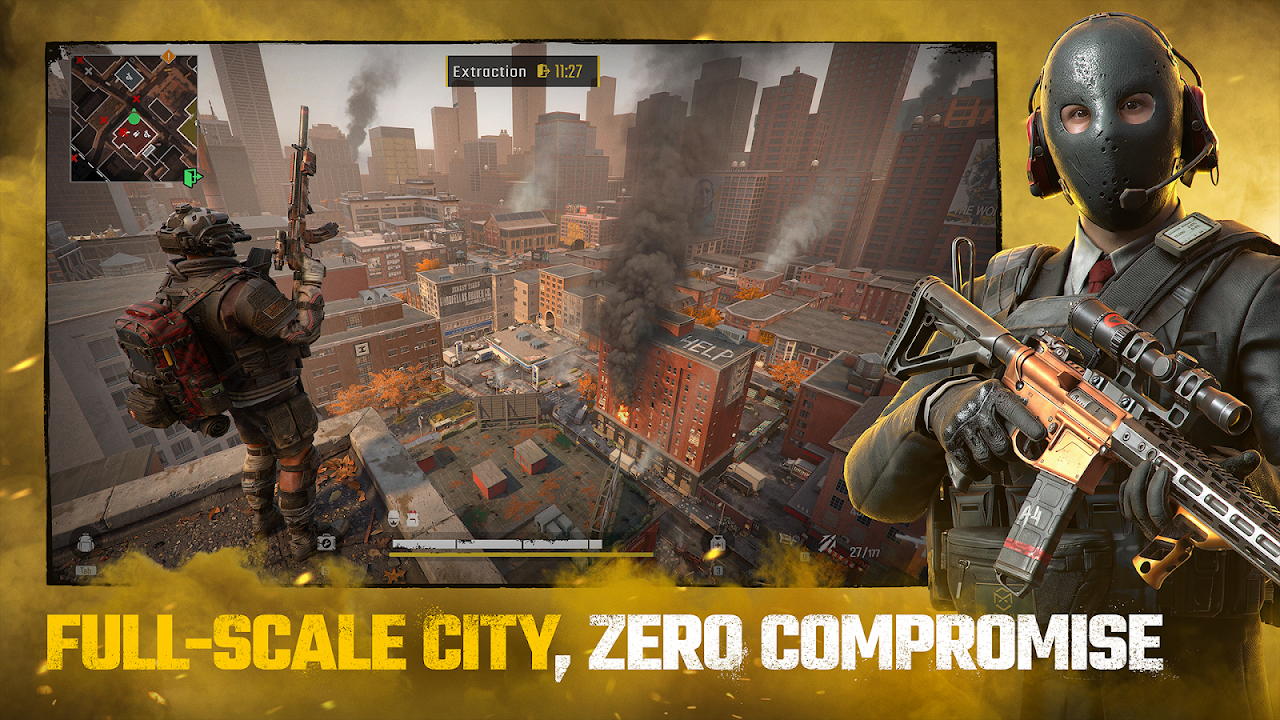
30 Days: Outbreak is a free-to-play third-person zombie extraction shooter from Plarium Global Ltd. Soft launch and first Alpha testing opened in Poland and Ukraine on Android and iOS. Global release is still TBA. This page covers official download paths, storage planning, soft-launch caveats, and what to do after install — ithout inventing sideload tutorials that break store terms.
Official listing (Android): Google Play —?30 Days: Outbreak (com.plarium.outbreak30days). Follow Plarium and @30DaysOutbreak for iOS availability notes in the same soft-launch regions. Prefer the Play Store or App Store over random APK sites.
Soft-launch regions
During the first Alpha / soft launch window (announced around November 2026 for Poland and Ukraine), store visibility and purchase testing may be limited to those markets. If your account country matches a soft-launch region, search 30 Days: Outbreak or open the Play Store link above.
If the store page is unavailable in your country, that usually means you are outside the current soft-launch footprint — ot that the game is fake. Wait for Plarium to expand regions rather than chasing unofficial builds. Global timing remains unannounced.
Storage and device prep
Expect an install footprint around 3.11 GB. Before you tap Install:
- Free several gigabytes of storage for the base download plus future patches.
- Use a stable Wi — i connection; mobile data burns fast on multi — igabyte titles.
- Update Android System WebView / iOS itself so store authentication and login flows behave.
- Confirm your device can run other modern third-person action titles at playable settings; soft-launch optimization will keep changing.
- Sign into the correct Google or Apple account tied to the region you intend to test.
After install, launch once on Wi — i so any first-run packs finish before you queue a raid.
VPN and region caveats
Some players ask about VPNs to appear inside Poland or Ukraine. This wiki does not encourage bypassing store terms of service, payment rules, or Plarium— regional rollout. Unofficial region hops can break purchases, disable updates, lock accounts, or leave you on orphaned builds when soft launch ends.
Practical guidance:
- Use the official store for your real account region when the game is listed.
- If you travel into a soft-launch country with a local SIM and store account already set there, follow local store rules — o not treat travel tips as a how-to for fraud.
- Avoid cracked APKs, —nlimited ammo—?mods, and key generators; they are malware magnets and violate game integrity in a PvPvE extraction title.
- When global launch arrives, reinstall from the official store rather than carrying a shady sideload forward.
If you only want to watch the loop before access, study the embedded gameplay video on this page and read Getting Started plus How to Extract.
PC emulators (optional)
Plarium targets phones and tablets. Some players experiment with Android emulators on PC for comfort controls. Emulators are optional, unsupported by this wiki as an official path, and may violate platform or publisher rules depending on the tool and account setup. If you try one:
- Prefer well-known emulators with clear privacy policies.
- Expect worse anti-cheat or login friction than on a real device.
- Do not assume soft-launch rewards or progress will transfer cleanly.
- Touch-first UI still matters — ead Controls even if you map keys later.
For the authentic experience and fewer account headaches, play on a physical Android or iOS device in a supported soft-launch region.
Alpha wipe warning
Soft launch exists to stress servers, monetization plumbing, and balance. Progress, currencies, and unlocked gear may wipe between Alpha phases or when the game moves toward global release. Do not treat soft-launch stash value as permanent wealth.
Before you invest time or money:
- Read patch notes on the Updates Hub.
- Keep screenshots of bug reports instead of assuming support can restore wiped Alpha items.
- Practice extract discipline with learning kits described in Getting Started and the Loadout Guide.
- Skip heavy real-money spending until Plarium clarifies which purchases survive future wipes.
After you install
- Complete the tutorial and confirm audio, aim sensitivity, and graphics presets.
- Skim Controls so crowbar, repair kits, and backpack unload are not surprises mid-raid.
- Run a low-risk extract using How to Extract.
- Learn district atmosphere differences in Districts.
- When kits matter, cross-check the Tier List Hub.
- Return to the Guides Hub whenever a patch changes UI labels or extract rules.
Official sources only
- Play Store:
https://play.google.com/store/apps/details?id=com.plarium.outbreak30days - Publisher: plarium.com
- Official X: @30DaysOutbreak
Download from those channels, expect Alpha turbulence, and move into gameplay guides once the client is on your device. Soft launch is a test — nstall carefully, spend cautiously, extract often.
Frequently Asked Questions
Quick answers for soft-launch survivors.
Where can I download 30 Days: Outbreak right now?
Soft launch / first Alpha is in Poland and Ukraine on Android and iOS. Use the official Play Store listing (and App Store when shown in those regions).
How large is the app?
Plan for about 3.11 GB plus patch headroom. Install on Wi — i and keep free storage for updates.
Can I use a VPN to play outside Poland and Ukraine?
This wiki does not encourage bypassing store or publisher regional rules. Unofficial region hops risk broken updates, payments, and account issues.
Will soft-launch progress wipe?
Yes — lpha and soft-launch data may reset. Treat stash upgrades as temporary until Plarium confirms wipe policy for later phases.
Are PC emulators supported?
They are optional and unofficial. Prefer a real Android or iOS device in a soft-launch region for fewer login and integrity problems.